
PowerPoint templates that actually work
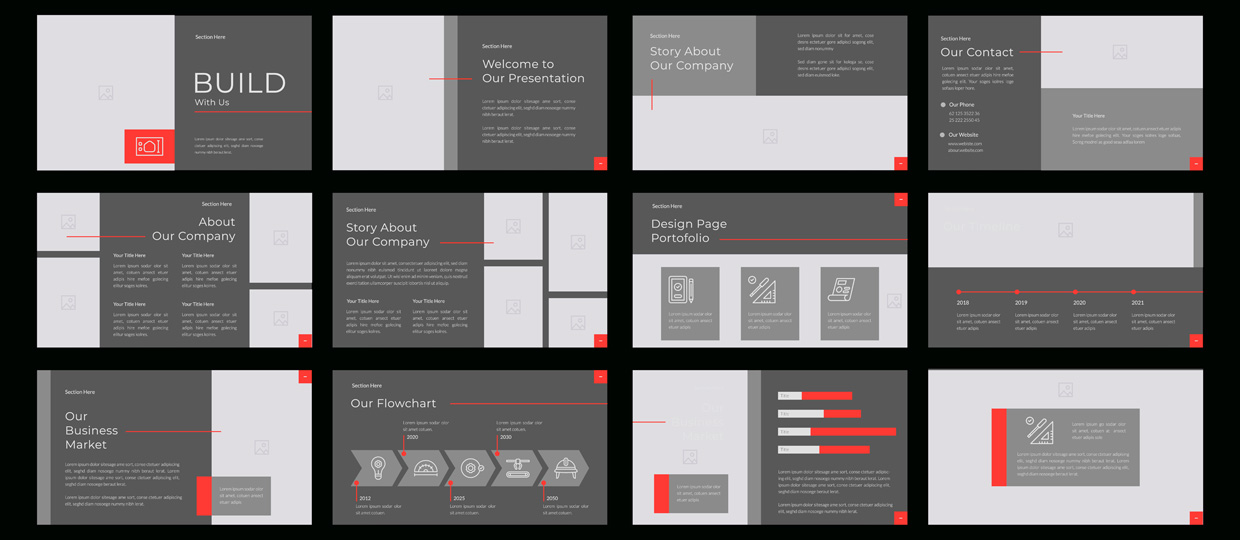


What most agencies get wrong (and how to do it right) with corporate PowerPoint templates
You’ve just rebranded. The visuals look great. Your brand agency hands off a PowerPoint “template” — a cover slide and one content layout. No guidance, no structure, no real utility.
Sound familiar?
At Notion, we’ve been brought in dozens of times after this exact moment. Big-name branding firms get the high-level look right, but when it comes to real-world use, the templates fall flat. Why? Because they weren’t built by people who actually design in PowerPoint every day.
A PowerPoint template isn’t a design file. It’s a communication tool. Here’s what separates a well-designed, effective template from the others.
What most PowerPoint templates get wrong
1. Too few layouts
A cover slide and a text slide aren’t enough. Real presentations need variety: comparison layouts, data visualizations, team slides, process flows, agenda templates and more. You need options to really bring your decks to life (and avoid the dreaded ‘death by PowerPoint’).
2. Unusable design
Beautiful layouts that are impossible to edit? That’s ain’t helpful. We see templates with fixed text boxes, unconfigurable artwork, or no room for actual content. They look good in a portfolio, not in a meeting.
(Let’s be honest: most branding agencies treat the PowerPoint template like a last-minute task — tossed to a junior designer to “just get it done.” The results usually show.)
3. Missing branding elements
Great brand design doesn’t mean anything if the average user can’t apply it. Most templates forget things like approved fonts and colors, editable sidebars and shapes, light and dark options, or a usable (and color-izable!) icon set.
4. Zero guidance
No one knows what slide to use when. Good templates come with instructions, examples and even a few “starter” decks. Otherwise, it’s simply chaos.
5. They’re built by non-PPT people
Let’s be honest: most agencies don’t like working in PowerPoint. We actually love it! And it shows in how we build slide masters, placeholder logic, image cropping, color consistency and brand extensions.
What a good PowerPoint template should include
Here’s what we recommend (and build) for enterprise clients:
| Component | Why it matters |
| Master slides for core layouts | 15–25 reusable layouts that actually reflect the kinds of content you use. |
| Editable color palette | Brand colors set up in the right order for charts, shapes and graphs. |
| Typography that works | Fonts that are preloaded, web-safe or properly embedded for sharing. |
| Tables, charts, icons | Pre-styled to match the brand and reduce repetitive formatting work. |
| Visual examples | “This is what good looks like” — to help inspire non-designers. |
| Template 101 deck | A walkthrough for how to use (and not break) the template. |
Why it matters for B2B teams
In product marketing, sales enablement, or corporate comms, speed and polish are non-negotiable.
A good template helps you:
- Move faster — no more starting from scratch or fixing Frankenstein’d layouts
- Look consistent — across markets, teams, and functions
- Scale communication — when dozens of people are building decks
- Spend less time redoing work (and more time making an impact)
If your team resents the template, it’s probably the template’s fault — not theirs. (Harsh, but true.)
What we’ve learned after 100+ template builds
We’ve built templates for global tech companies, healthcare giants, banks and manufacturing firms.
Here’s what makes the rollout stick:
- Involve the right people early — Brand, Marketing and “power users”
- Pilot before launching — Get feedback from teams who will actually use it
- Include a mini “inspiration deck” — Help people think more visually (this really helps them see the difference immediately, like a vivid before vs. after look)
- Offer training and support — Even 30 minutes goes a long way
- Think beyond the template — Libraries, starter decks and creative examples turn a tool into a system
Bonus:
How to know if you need a new template
- You see different fonts and colors in every deck
- People copy and paste from old slides because the template doesn’t help
- You’ve rebranded, but no one is using the new look in PowerPoint
- Design teams are constantly redoing work from scratch
- Sales and product marketing decks don’t match
- Stakeholders complain that your presentations don’t “look professional”
If this sounds familiar, let’s talk. A new template might be the simplest way to solve a lot of problems.